
Bizzo Help & FAQ — Support Guide for Australian Players
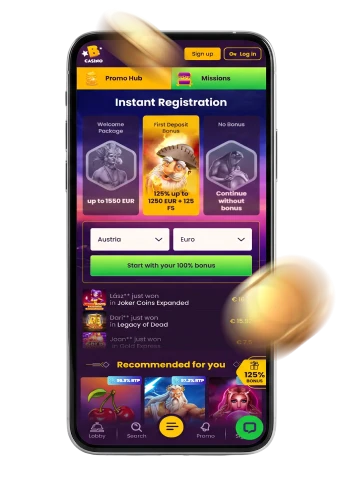
Welcome to the Bizzo information and support resource. This page covers the most common questions punters have about identity checks, account access, technical difficulties, and deposits. For anything not answered here, Bizzo customer support is available directly through the Bizzo platform.
Proving Who You Are: Identity Verification at Bizzo
Why does Bizzo ask me to verify my identity?
Identity verification — commonly called KYC (Know Your Customer) — is a standard requirement for online gambling platforms. It exists to confirm that you are who you say you are, that you meet the minimum legal age of 18, and that your account is being used by its rightful owner. Verification also helps protect against fraud, money laundering, and unauthorised account activity. Without a completed check, certain account functions, including withdrawals, may be placed on hold inside the Bizzo account area.
When might a verification check be triggered?
A check can be requested at registration, when you reach certain deposit or withdrawal activity, or if anything about your account raises a question during routine security reviews. It is not necessarily a sign that something has gone wrong — it is a routine part of responsible platform management.
What kinds of documents are typically required?
Inside the Bizzo account area, you will generally be asked to provide a photo of a current identity document (such as a passport, driver’s licence, or government-issued ID), evidence of the payment method you are using, and a recent document confirming your residential address — for example, a utility bill or bank statement. In some circumstances, additional materials such as a selfie with your ID or proof of the source of funds may also be requested.
Why must my documents match my account details exactly?
The name, date of birth, and address you provided when registering must correspond precisely to the information on the documents you submit. Even minor discrepancies — a different spelling of a surname, a former address, or an expired document — can delay or prevent approval. If you need to update your account details, contact Bizzo customer support through the platform before submitting documents.
My verification has been delayed — what should I do?
Processing times can vary depending on the volume of checks being handled at any given time. If you feel your check has been waiting longer than expected, reach out to Bizzo customer support via the live chat or email facility inside the Bizzo platform. Providing clear, legible, unedited images of your documents will help avoid further delays. If a check cannot be completed successfully, access to certain account features may be restricted.
Your Bizzo Account
I cannot log in — what should I check first?
Before contacting support, confirm that you are entering the correct email address and password, that your caps lock is off, and that your browser is not auto-filling outdated credentials. If you have forgotten your password, the password reset option on the Bizzo login page will guide you through recovering access. Clearing your browser cache can also resolve issues caused by stored session data.
My account appears to be locked or temporarily unavailable — what now?
Accounts can be restricted for several reasons, including a failed verification check, a security flag, or a self-exclusion request that you previously submitted. Bizzo customer support inside the platform is the correct point of contact in all these situations. They can advise on what has triggered the restriction and what steps, if any, are available to you.
Can someone else use my account on my behalf?
No. Each account is strictly personal and must only be used by the person who registered it. Allowing a third party — including a family member — to access your account, or operating more than one account, is a breach of the platform’s terms. Only one account per player is permitted.
I want to know more about how Bizzo handles my personal information.
The Bizzo platform operates under Australia’s Privacy Act 1988 and the Australian Privacy Principles. You have the right to know how your personal information is collected and used, to request access to the information held about you, and to ask for corrections if anything is inaccurate. Full details are set out in the Bizzo Privacy & Cookie Policy.
When Something Is Not Working
I have not received an account-related email — what should I do?
Check your junk or spam folder first, as messages from gambling platforms are sometimes sorted there by email clients. If the email is not there, verify that the address registered on your Bizzo account is correct. You can then request that the message be resent from within the Bizzo account area, or contact Bizzo customer support if the problem persists.
A game or feature is not loading — how do I fix it?
Try refreshing the page, switching to a different browser, or clearing your browser’s cache and cookies. Some games may be unavailable in certain regions due to provider restrictions — you can check what is currently accessible through the Bizzo games catalogue. If a specific feature remains unavailable after these steps, report it to Bizzo customer support.
The site is not displaying correctly on my mobile device.
Bizzo is accessible on mobile browsers, and there is also dedicated guidance on the Bizzo mobile access page if you are looking for the best way to play on a smartphone or tablet. If pages are loading incorrectly, try switching between your mobile browser and the app option, or check that your operating system and browser are up to date.
What should I include when contacting support about a technical problem?
To help Bizzo customer support resolve your issue as efficiently as possible, include: a clear description of what happened, the name of the game or page involved, the device and browser you were using, and — if relevant — the approximate time of the incident. Screenshots are useful where possible. Avoid sending multiple messages about the same issue, as this can slow the queue.
Deposits and Transactions
My deposit is not showing in my account — what could cause this?
A deposit may take a short time to appear depending on the payment method and any processing steps between your bank or wallet and the Bizzo platform. If the amount has left your payment account but has not appeared in your Bizzo account after a reasonable period, contact Bizzo customer support with your transaction reference number. Do not attempt to make a second deposit for the same amount until the first has been investigated.
My payment was declined — what should I do?
A declined payment can result from your bank’s security settings, insufficient funds, or a restriction specific to the payment method you selected. Check with your bank or payment provider first, as many declines are handled at that end. A wider overview of the methods available on the Bizzo platform can be found on the Bizzo payment methods page. If the problem continues after checking with your provider, Bizzo customer support can review the transaction from the platform side.
I have not received a withdrawal I requested — what are my options?
Withdrawals are processed through the Bizzo platform and are subject to any pending verification requirements. If your withdrawal appears to be taking longer than expected, first confirm that your KYC verification is complete and that no additional documents have been requested. If all requirements are met and the funds have still not arrived, contact Bizzo customer support with your withdrawal reference details.
I am not sure whether my bonus has been applied correctly to my account.
Bonus eligibility and wagering requirements can affect what is available in your account at any given time. For a full explanation of how promotions work at Bizzo, visit the Bizzo bonuses and promotions page. If you believe a bonus has been applied incorrectly, Bizzo customer support can review your account history.
Gambling Responsibly
Gambling at Bizzo is intended to be an enjoyable form of entertainment — not a way to generate income or recover money that has been lost. It is important to approach it with a clear budget in mind and a firm limit on both the time and money you spend. Setting deposit limits and scheduling regular breaks are practical habits that help keep gambling in its proper place.
Warning signs that gambling may be becoming a problem include chasing losses, hiding gambling activity from others, feeling anxious or irritable when not playing, or spending money earmarked for bills or essentials. If any of these sound familiar, it is worth speaking to someone.
If you wish to take a break or exclude yourself from the Bizzo platform, contact Bizzo customer support through the account area to discuss the self-exclusion options available to you.
Australian punters seeking support can contact the following free and confidential services:
- National Gambling Helpline: 1800 858 858 — free, confidential, available 24/7
- Gambling Help Online: gamblinghelponline.org.au — live chat, online counselling and email support, available 24/7
- Lifeline (crisis support): 13 11 14
- National Debt Helpline (financial counselling): 1800 007 007
- BetStop — the National Self-Exclusion Register: betstop.gov.au — allows you to self-exclude from Australian-licensed online and phone wagering providers